
Event types
What people can book — duration, location, buffers, notice, and daily limits, and what each setting protects you from.
An event type is a template of something bookable: a 30-minute demo call, a 60-minute consultation, a site visit. Your agent books an event type, so it's the object that carries every rule about how that kind of appointment works.
Creating one
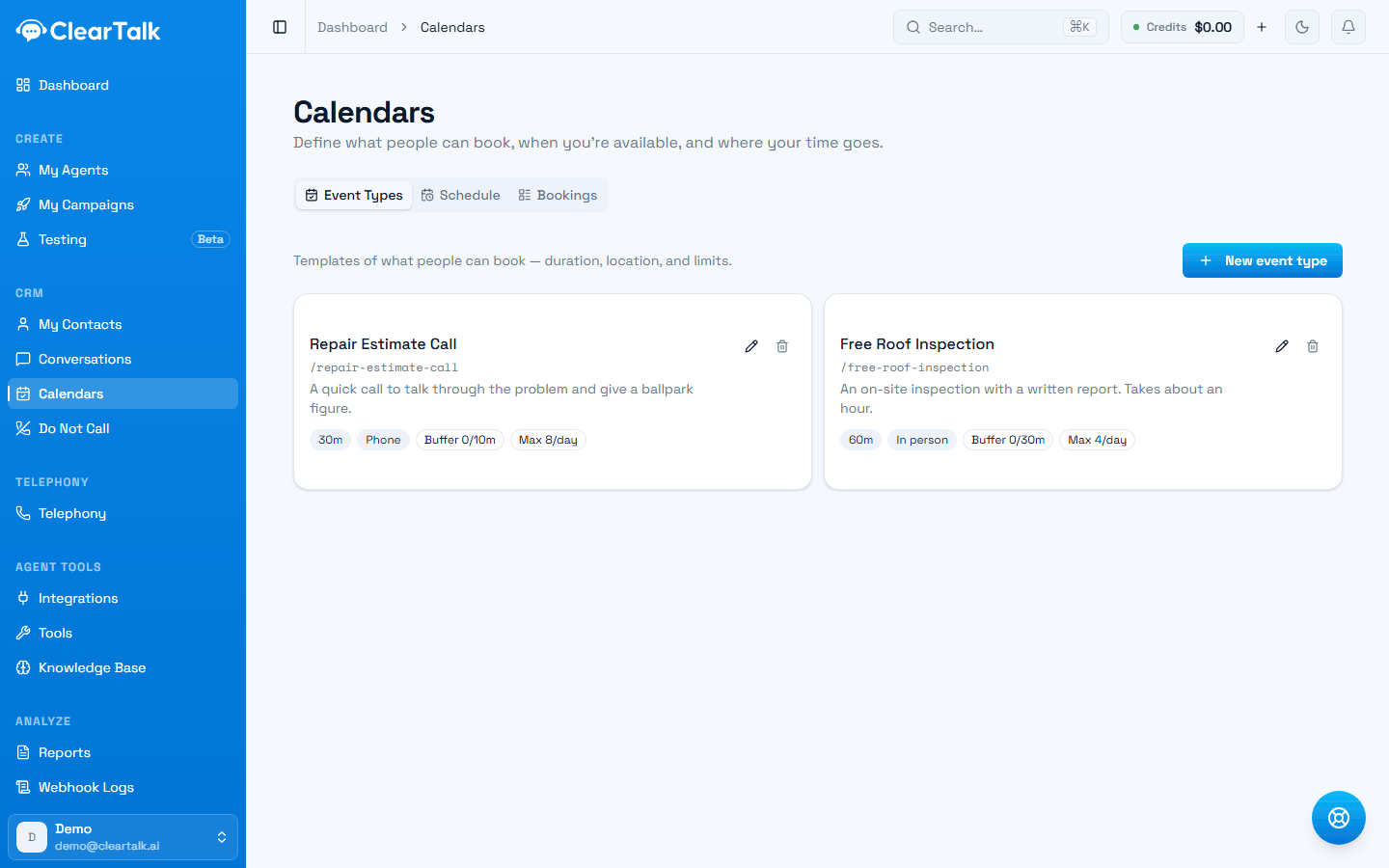
Under Calendars → Event Types, click New event type. If you haven't created a schedule yet, ClearTalk will send you to do that first — an event type with no schedule has no way to know when it's bookable.
The form is short — every rule an event type carries fits on one screen:
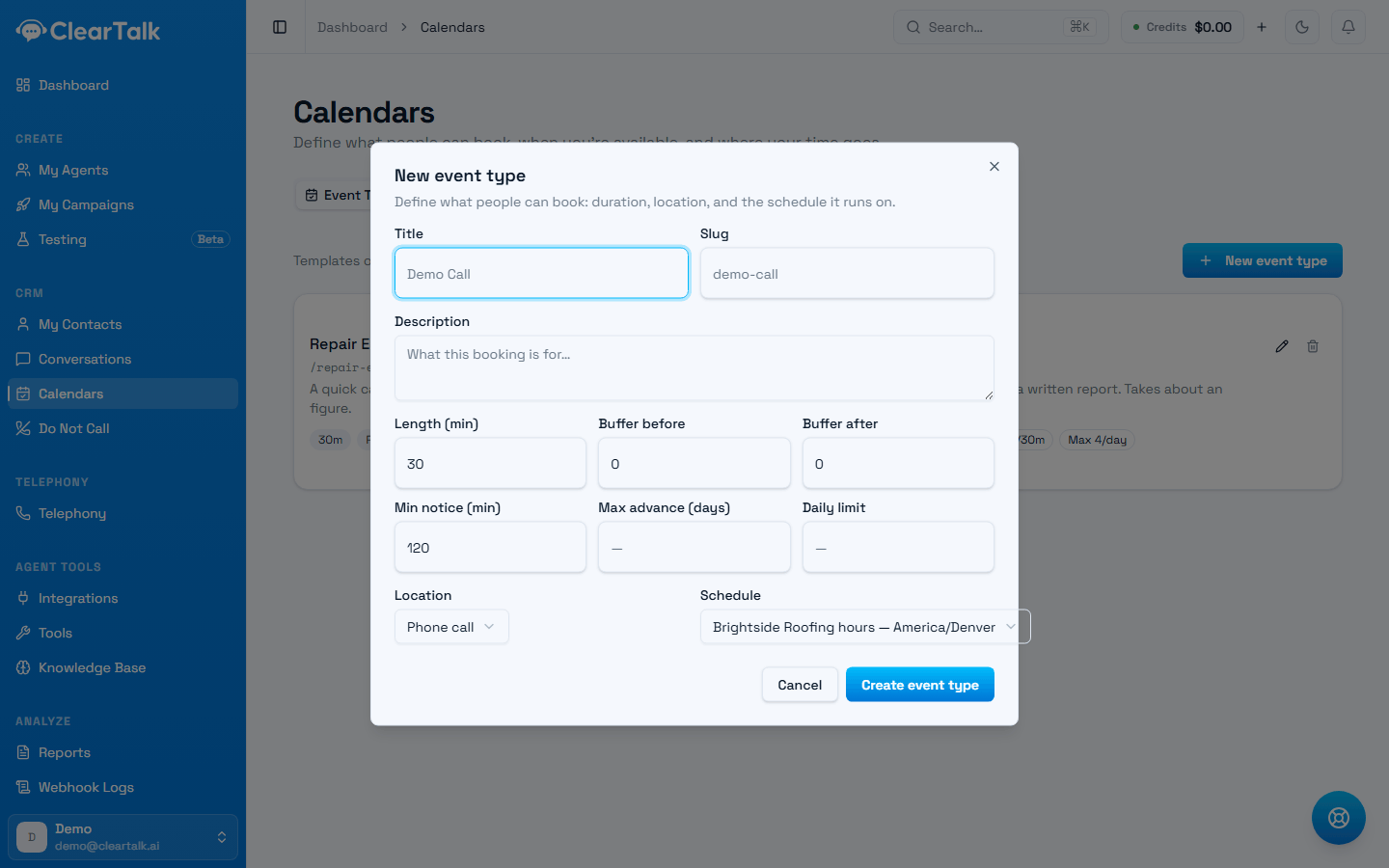
- 1The slug fills itself from the title, and becomes part of the booking link.
- 2How long it runs, and how much breathing room to leave around it.
- 3How soon someone can book, how far ahead, and how many a day you'll take.
- 4Which schedule decides when it's bookable at all.
The settings
Title and slug
Title is what the appointment is called, and it's what the agent will say out loud: "I can get you booked for a Free Roof Inspection on Thursday." Name it the way a customer would describe it, not the way your CRM does.
Slug is the URL-safe version, filled in for you.
Reads well out loud
- Free Roof Inspection
- 30-Minute Discovery Call
- New Patient Consultation
Reads like a database record
- EVT_INSPECT_30
- Appointment Type 2
- Consult (v3 - USE THIS ONE)
Length
How long the appointment runs, in minutes. This determines the slots that get offered — a 30-minute event type inside a 9:00–12:00 window offers 9:00, 9:30, 10:00, and so on.
Buffer before and after
Protected time either side of the appointment. Nobody can book into it, and it isn't shown as available.
This is the setting people skip and then regret. A 30-minute call with no buffer means back-to-back bookings all morning, with no time to write anything down between them. Ten or fifteen minutes after is usually enough.
Buffers are how you build a survivable day. Length is how long you talk to someone; buffers are how you stay functional across six of them.
Minimum notice
How far ahead someone has to book, in minutes. Without it, an agent on a call at 2:58 can book someone for 3:00 — which is technically correct and operationally awful.
Set it to whatever you genuinely need to prepare and travel. A phone consultation might need 60 minutes; a site visit needs half a day.
Maximum advance
How far into the future bookings are allowed, in days. Caps how far out your calendar can be committed — useful when your schedule changes month to month, and a hedge against no-shows on appointments booked eight weeks out.
Daily limit
The most appointments of this type you'll take in one day. Once it's hit, no more slots of this type are offered, even if your calendar is technically open.
Use it when the constraint isn't time but capacity: three site visits a day is a real limit even if the calendar has room for five.
Location
Where the appointment happens: Phone call, In person, Zoom, Google Meet, or Custom. In-person asks for an address; the link options ask for a URL.
The agent tells the customer what this is when confirming, so it's worth setting correctly even when it seems obvious.
Schedule
Which schedule this event type runs on. Most businesses point everything at one. Separate schedules are worth it when different appointment types genuinely have different hours — site visits only on weekday mornings, phone consultations any time you're open.
How many event types should you have?
Fewer than you think
One per genuinely different kind of appointment. Different durations justify separate event types; different customers don't. Ten near-identical 30-minute event types is a maintenance burden with no benefit, and it makes it harder for an agent to pick the right one.
Worked example
A roofing company running one outbound agent:
| Setting | Value | Why |
|---|---|---|
| Title | Free Roof Inspection | What the customer would call it |
| Length | 60 min | A real inspection takes an hour |
| Buffer after | 30 min | Travel to the next one |
| Minimum notice | 240 min | Half a working day to plan the route |
| Maximum advance | 21 days | Beyond three weeks, no-shows climb |
| Daily limit | 4 | What one crew can genuinely do |
| Location | In person | With the address field used for the office |
Notice how much of that has nothing to do with the calendar and everything to do with how the business actually runs. That's the point of the event type — it's where operational reality gets encoded so the agent can't book something you can't deliver.
Editing and deleting
Editing an event type changes what's offered from that moment on. Existing bookings keep the details they were booked with.
Deleting one keeps its existing bookings on the calendar — they just can't be re-booked. If you're retiring an appointment type, deleting it is safe; you won't lose anything already on the books.
Availability and connected calendars
Setting your weekly hours and time zone, and connecting Google, Outlook, or Calendly so agents never book over something you already have.
Booking in conversations
How an agent offers times and books them mid-call or mid-text — what to turn on, how time zones are decided, and why bookings fail.