
Managed numbers or your own carrier account
ClearTalk can provide your phone numbers, or you can bring your own Twilio account. What each one can actually do, and which to pick.
There are two ways to have phone numbers in ClearTalk, and which one you get depends on your plan. They look quite different in the dashboard, and — importantly — they can't do the same things.
The single most consequential difference: you cannot send text messages from a managed number. US carriers reject unregistered messaging traffic, and the registration process only runs on your own carrier account. If texting is part of your plan, you need your own account — this isn't a preference.
What each one can do
Managed numbers
ClearTalk holds the carrier account
- Inbound calling — yes.
- Outbound calling — yes, dialing from your own number.
- Texting — no.
- Forwarding, SIP, and the pools and compliance screens — not available.
Your own carrier account
You connect your own Twilio
- Inbound calling — yes.
- Outbound calling — yes, across as many numbers as you like.
- Texting — yes, once registration is complete.
- Forwarding, SIP, pools, and compliance all unlock.
Managed numbers
ClearTalk holds the carrier account and your number sits on a subaccount underneath it. There's nothing to set up: search an area code, reserve a number, done. No third-party account, no credentials, no separate carrier bill.
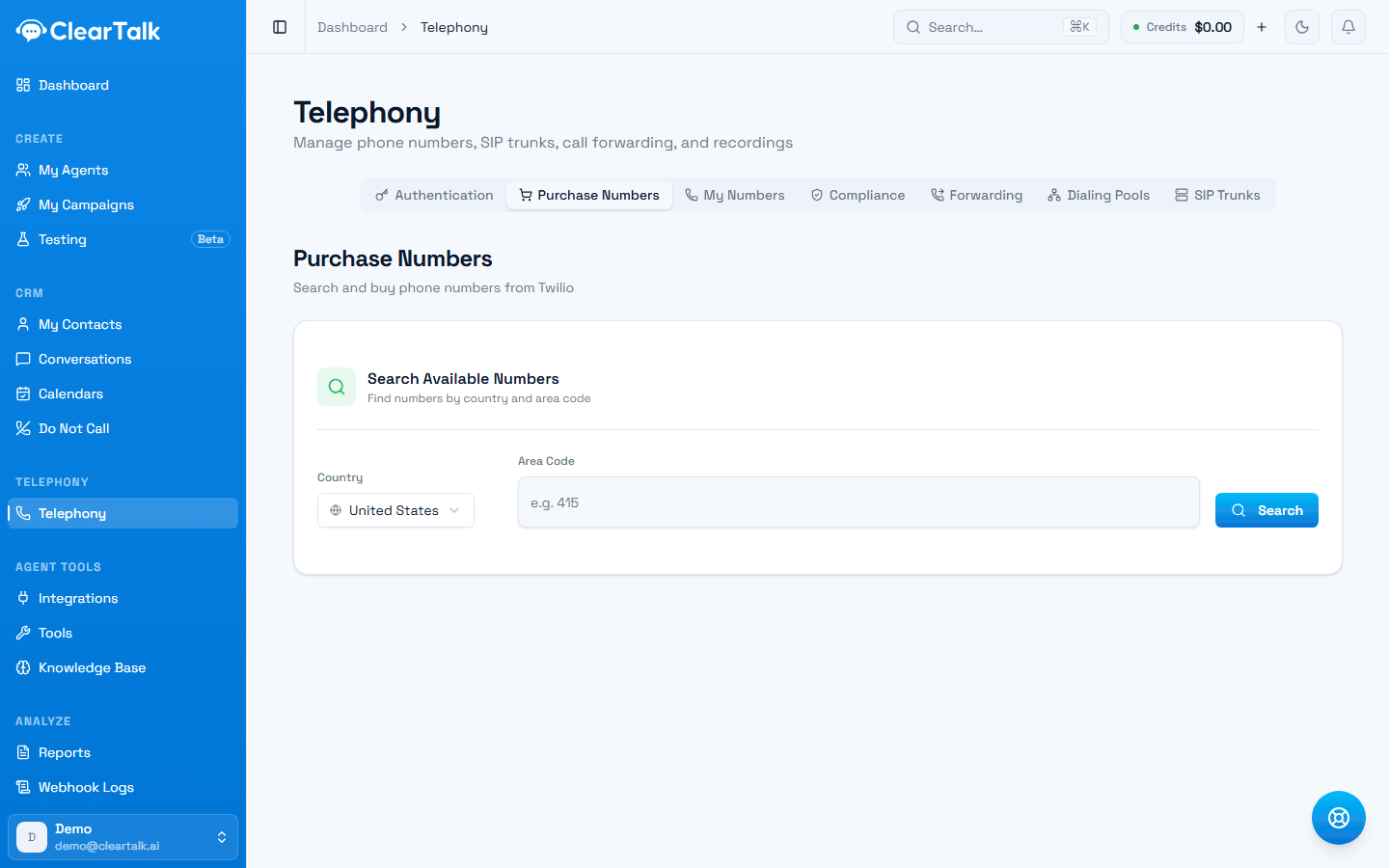
- 1Country first — availability and pricing differ by country.
- 2Optional. Leave it blank for any number in that country.
The number is genuinely yours — it's what shows as caller ID on outbound calls, not a shared platform number.
Numbers come out of your inbound-agent allowance
However you plan to use a managed number, it's released against the number of inbound agents your plan includes. That's a quirk of how the allowance is counted, and it has a consequence worth knowing about — see the warning below.
What you don't get on this path: text messaging, call forwarding, SIP trunking, and the dialing-pool and compliance-registration screens. Outbound calls still rotate sensibly across whatever numbers you have — ClearTalk builds a pool for each agent automatically — you just don't get the screen for managing pools by hand.
Your own carrier account
You connect your own Twilio account and ClearTalk operates numbers inside it.
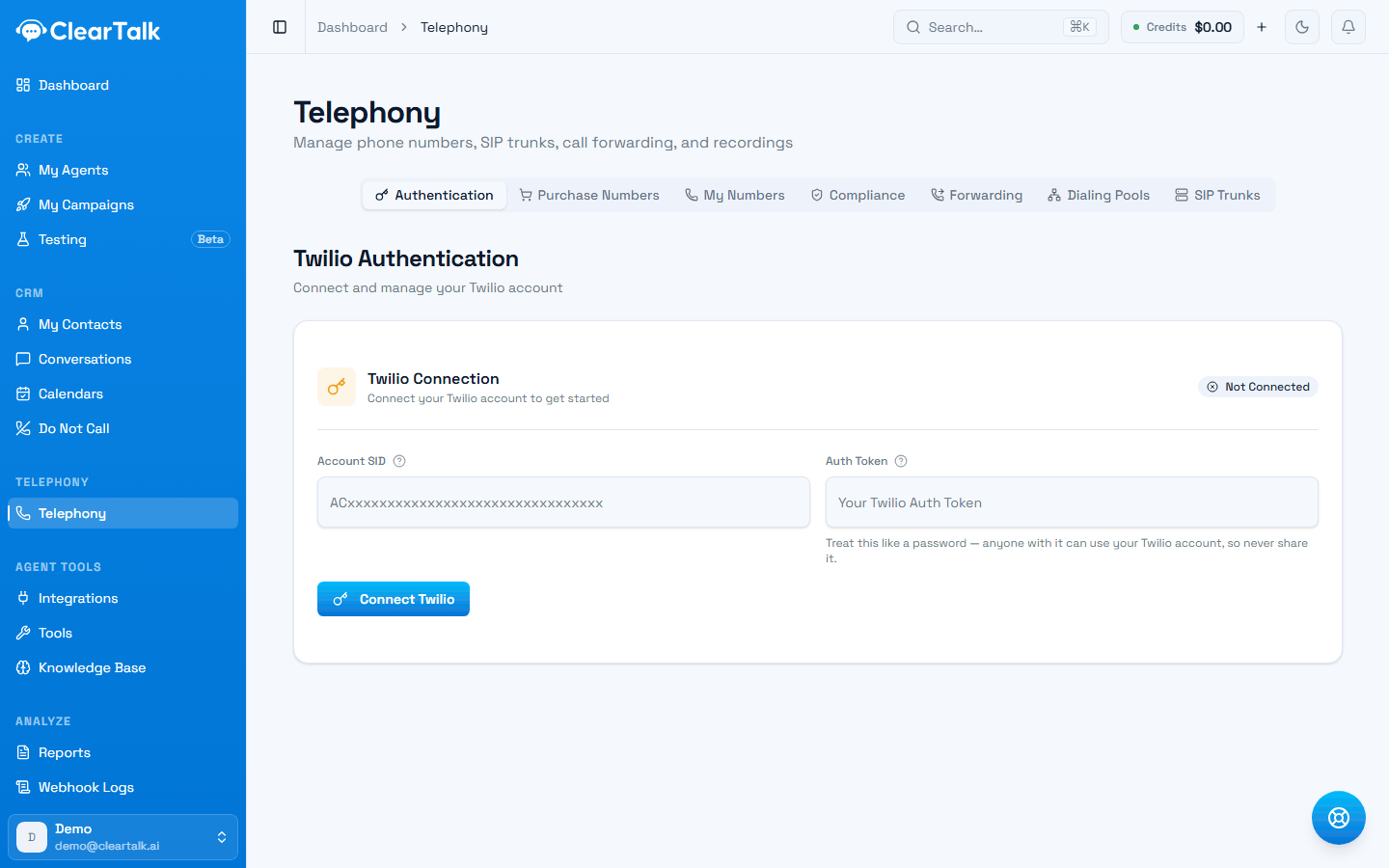
- 1Everything else — numbers, compliance, forwarding, pools, SIP — sits behind this connection.
- 2The status. This is the first thing to check when a number screen looks empty.
- 3Two credentials from your Twilio console. The auth token is a password — treat it like one.
- Buy as many numbers as you want, billed by Twilio at Twilio's prices.
- Texting works, once you've completed registration.
- Everything unlocks: call forwarding, dialing pools, SIP trunking, and the compliance registrations that keep you out of "Spam Likely".
- You own the relationship — the account, the registrations, and the numbers. If you ever leave, they're already yours.
- More to manage: two bills, two accounts, and the setup step of connecting credentials.
Seeing which is which
My Numbers lists both kinds separately, so you can always tell where a given number lives:
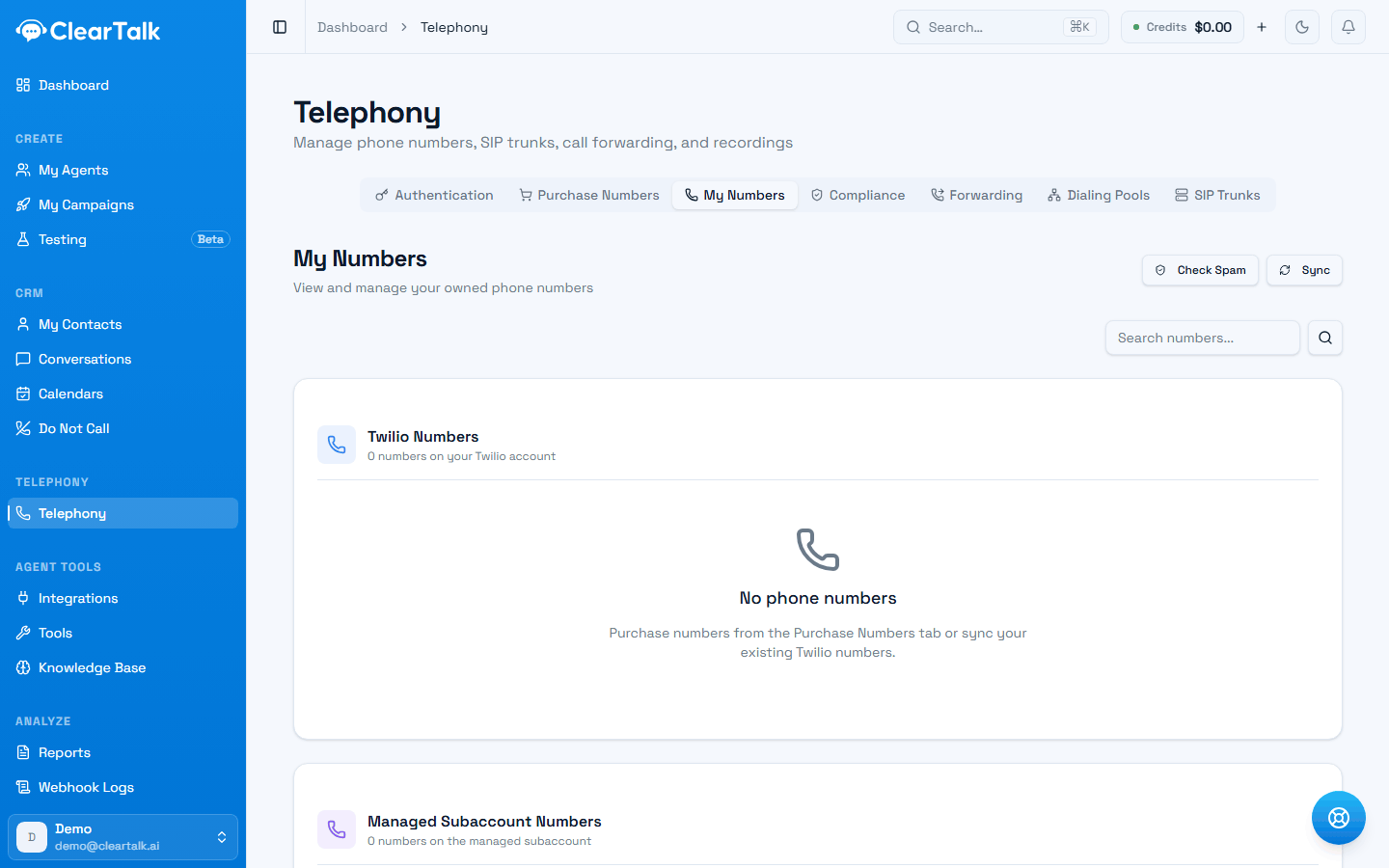
- 1Numbers on your own carrier account — the ones that can text.
- 2Managed numbers, on ClearTalk's account. Calling only.
- 3Already own numbers on your carrier account? Sync pulls them in.
Which to choose
Work down this list and stop at the first one that's true:
- You want to send texts → your own account. There's no way around this one.
- You dial at real volume → your own account. Sustainable outbound means spreading calls across many numbers — roughly one per 50–75 dials a day, so a thousand daily dials wants around fourteen. Managed numbers are capped by your plan's allowance, which rarely stretches that far. See outbound deliverability.
- You're an agency → your own account. It keeps client numbers under your control and your margin visible.
- You need forwarding or SIP → your own account.
- You already have Twilio, with numbers and registrations you don't want to abandon → keep it.
- Otherwise → managed is genuinely simpler, and right for a clinic, a shop, or any business taking calls and making a modest number of them.
One plan combination to watch for
Because managed numbers draw on the inbound-agent allowance, a plan that includes outbound calling but no inbound agents and no bring-your-own-carrier leaves you unable to get a number at all — the purchase screen refuses, and outbound calls fail because there's nothing to dial from. If you're buying a plan for outbound work, check it includes at least one inbound agent, or bring your own account.
Things worth knowing either way
Numbers aren't priced in the app. Neither path shows a price when you take a number — managed numbers come out of your plan, and on your own account the charge lands on your Twilio bill. If cost per number matters to your planning, check Twilio's pricing for the country you're buying in.
Only local numbers are offered in the app. There's no way to buy a toll-free number in ClearTalk today; toll-free needs its own registration path anyway.
Registration matters on your own account. Verifying your business, registering your caller-ID name, and completing the calling and texting registrations is what keeps you out of "Spam Likely" and gets your texts delivered. See outbound deliverability and getting approved to text.
Switching later is possible but not free. Numbers don't teleport between accounts — porting takes time and registrations have to be redone. If you can see texting or volume coming, starting on your own account saves a migration.