
Outbound calling without getting flagged
How many dials each number can safely make, why warm-up and rotation matter, and how to recover a flagged number.
Carriers watch every outbound number for spam-like behavior. Push one number too hard and your calls start showing up as "Spam Likely" — and answer rates collapse no matter how good your agent is. This playbook covers the operating limits and the ClearTalk features that keep you under them.
How many dials per number per day
50–75
dials per number per day — the safe zone
~100
where carriers start flagging
200+
labeling is close to automatic
Those are commonly cited industry figures, current as of mid-2026. They're moving targets — carriers tune their models constantly — so treat the low end as the operating range, not the ceiling.
The math: how many numbers do you need?
Divide your target daily dials by 75 and round up:
ClearTalk spreads calls across your numbers automatically through dialing pools — outbound calls rotate across the numbers you've given an agent, preferring one that matches the contact's area code so calls look local. Assign numbers to an outbound agent and a pool is built and maintained for you; the standalone screen for managing pools by hand appears on bring-your-own-carrier plans.
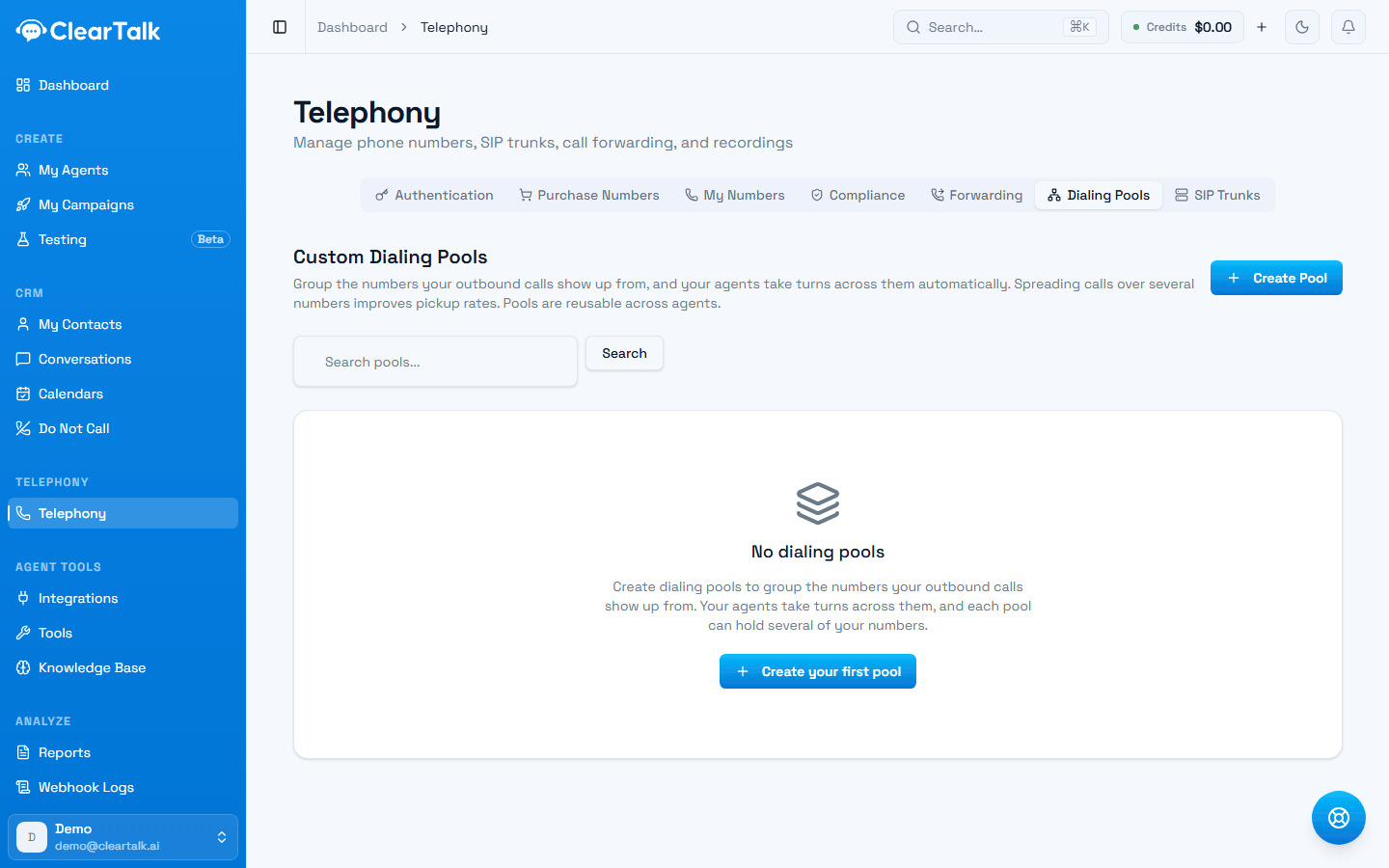
- 1One pool can hold several numbers, and pools are reusable across agents.
- 2Worth building by hand when different campaigns should show different numbers.
You need enough numbers to spread across
Reaching fourteen numbers usually means bringing your own carrier account — numbers on ClearTalk's managed account are capped by your plan's allowance. See managed numbers or your own carrier account.
Warm up new numbers
A brand-new number that immediately makes 75 calls a day looks exactly like a spammer cycling fresh numbers. Ramp new numbers gradually:
- Start at 10–20 dials per day for the first week.
- Increase volume week over week until you reach cruising level after 2–4 weeks.
- Mix in normal usage patterns — calls at natural business hours (campaign Working Hours enforce this for you), varying call lengths, and answered conversations.
Register your numbers
Registration is the single biggest lever, and it lives in Telephony → Compliance in your dashboard. Every registration type you might need is on one screen, each with its current status:
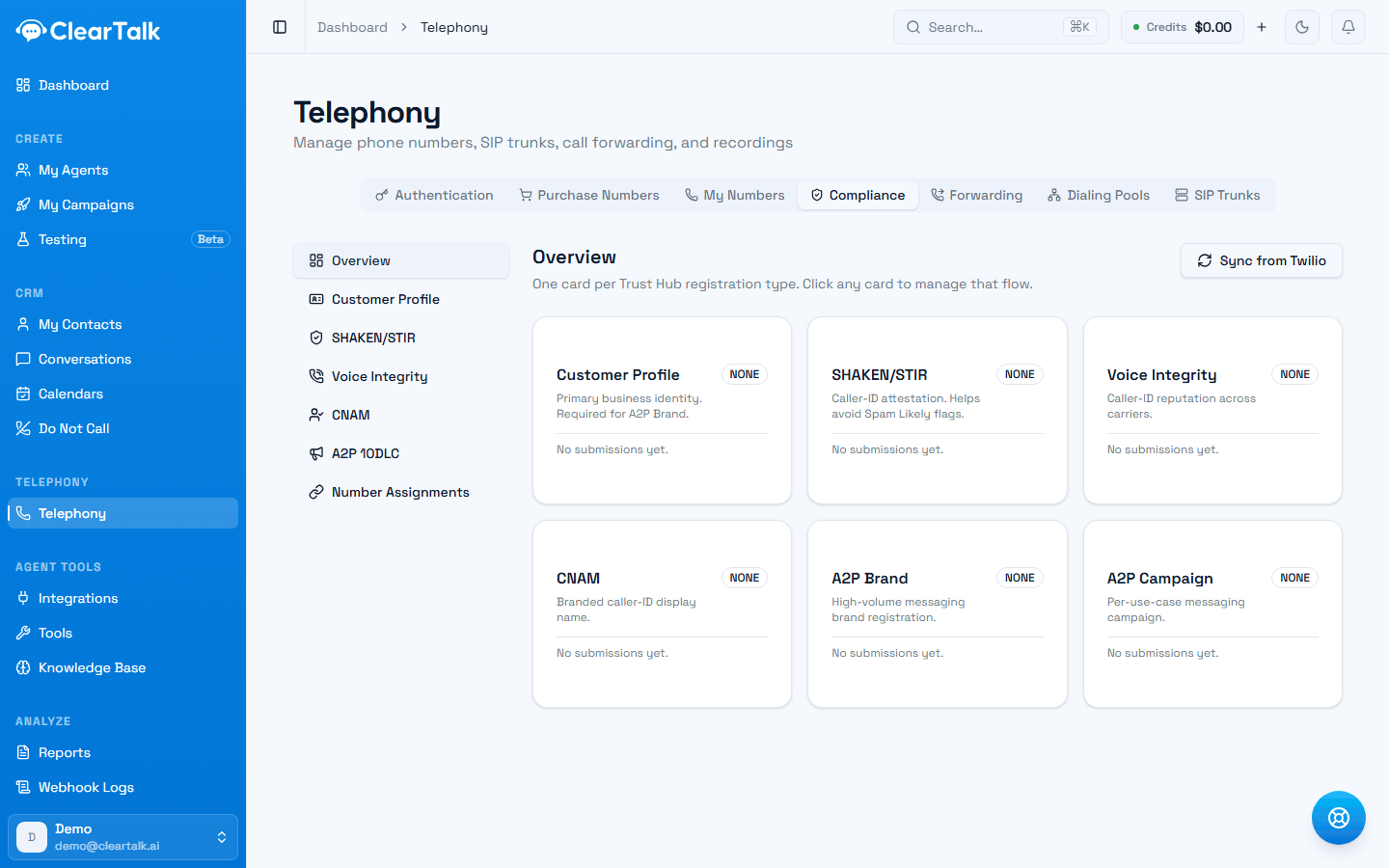
- 1Customer Profile first. Everything else is blocked until it's verified.
- 2Already registered with your carrier directly? Pull the statuses in rather than starting again.
- Customer Profile — one-time business verification; the prerequisite for everything else.
- CNAM — registers the business name shown on the recipient's caller ID, so calls arrive as your brand instead of an unknown number.
- SHAKEN/STIR — cryptographically attests your calls are really from you (US), which spam algorithms weigh heavily.
- Voice Integrity — monitors and remediates your numbers' reputation with carrier analytics providers.
New numbers you purchase are automatically attached to registrations you've already completed.
When a number goes bad
The symptom is a sudden drop in answer rate on one number while others hold steady. When it happens:
- Stop dialing from it. Continuing makes the reputation worse.
- Rotate it — on Telephony → My Numbers, the row menu offers Rotate Number, which swaps in a replacement and moves your configuration over.
- Let the flagged number rest, registered and unused, rather than releasing it immediately — releasing it puts a burned number back into the pool for someone else and does nothing for you.
The bigger picture
A clean list, called from registered, warmed-up, rotated numbers. That's the whole formula — and list quality matters as much as dial counts, because answer rates and complaints are what carriers actually measure. See list hygiene.
To turn these limits into actual campaign settings — batch size, spacing, and daily caps — see Batch call campaigns and Campaign settings.