
Batch call campaigns
Working through a list on a schedule — batch size, spacing, start and end dates, and how to pace a list without burning your numbers.
A Batch Calls campaign is the one that works on its own. Point it at your contacts, set a batch size and a wait, and it dials through the list on a schedule inside your working hours.
ClearTalk contacts only
Batch campaigns dial contacts held in ClearTalk. Contacts that live in a connected CRM aren't supported here — import them first, or use a triggered Outbound Calls campaign driven from the CRM instead. See Contacts.
How the pacing works
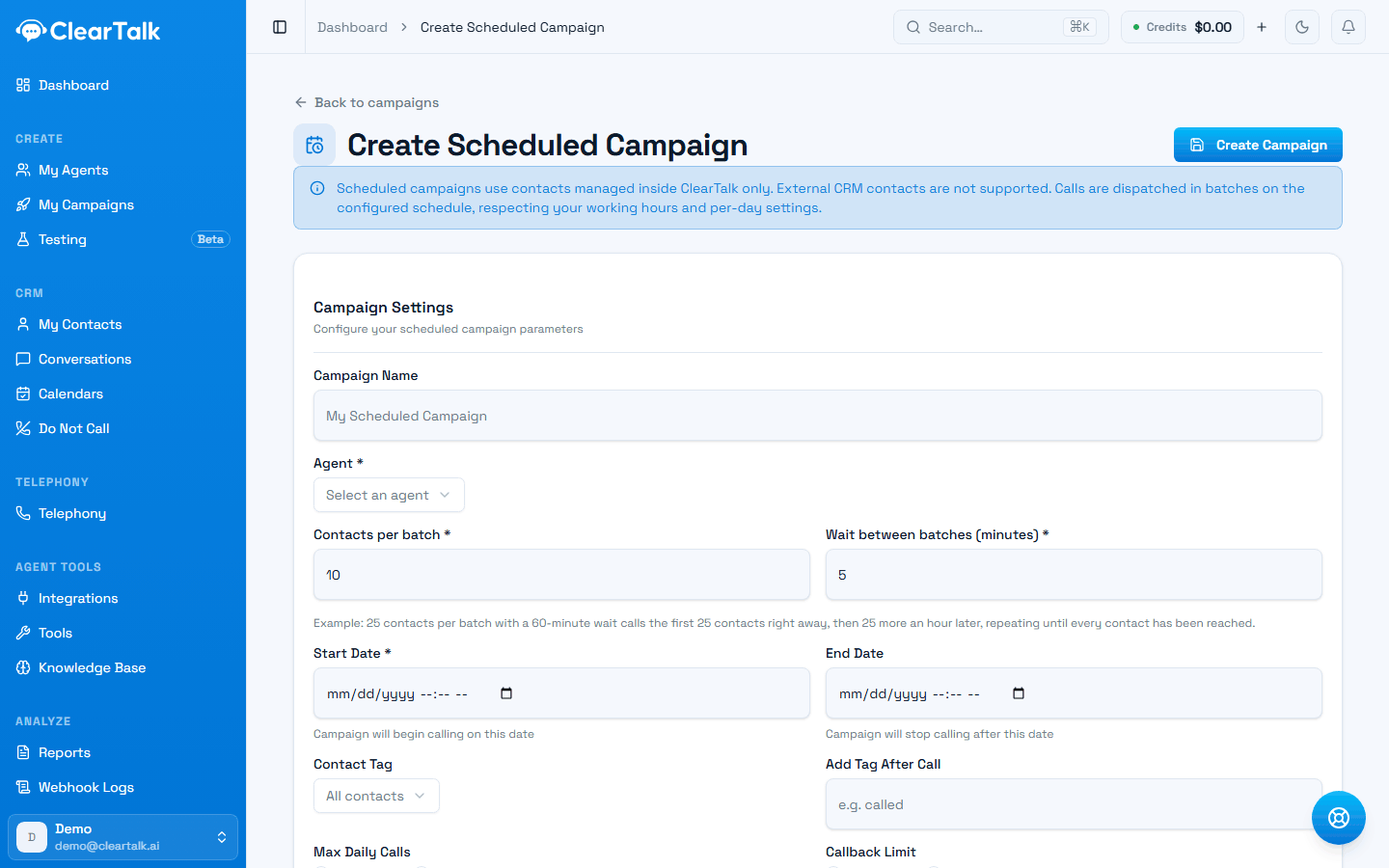
- 1It dials ClearTalk contacts only — CRM-resident contacts aren't supported here.
- 2Batch size and wait. These two settings are the whole pacing model.
- 3When it starts and when it stops. Only the start is required.
Two settings do the work:
- Contacts per batch — how many are dialed at once
- Wait between batches — how many minutes before the next group
25 contacts per batch with a 60-minute wait calls the first 25 straight away, 25 more an hour later, and so on until the list is finished.
Picking a rate
Pacing isn't a throughput question, it's a deliverability question. Push too many calls through too few numbers and carriers start flagging them — after which your answer rate drops no matter how good the agent is.
Work backwards from your numbers, not from your list. Each number safely handles roughly 50–75 dials a day. Your batch rate has to fit inside what your numbers can carry — see Outbound calling without getting flagged.
A worked example. You have 4 numbers and an 8-hour working day:
- 1
4 numbers × 75 dials = 300 dials a day, safely
That's your ceiling, not your target.
- 2
300 ÷ 8 hours ≈ 37 calls an hour
The rate you're aiming for.
- 3
So: 18 contacts per batch, 30-minute wait
Or 37 per batch with a 60-minute wait — same rate, chunkier.
- 4
A 1,000-contact list takes about 3 working days
Which is the honest answer, and worth knowing before you promise otherwise.
Smaller batches, more often
Given a choice between 50 every hour and 25 every half hour, take the second. Same throughput, but the load is spread more evenly across your numbers and it looks less like a burst.
Start and end dates
Start Date is when the campaign begins dialing. Set it in the future to line a campaign up ready to go — Monday morning rather than Friday afternoon.
End Date is optional and stops the campaign whether or not the list is finished. Worth setting for anything time-bound: an event, a promotion, a seasonal offer. It's the difference between a campaign that stops and one that's still calling people about last month's event.
Daily caps
Two optional caps sit alongside the pacing:
- Max daily calls — a hard ceiling per day, whatever the batch maths says
- Callback limit — how many times a contact who asked to be called back actually is
Set both. The daily cap is a safety net against a mis-set batch size; the callback limit is what stops a small group of contacts absorbing an entire day's dialing.
Tags
You can point a campaign at a specific tag rather than every contact, and add a tag to everyone this campaign contacts. That second one is more useful than it sounds — tagging on contact gives you a clean way to exclude those people from the next campaign.
Why fewer calls went out than contacts
A batch quietly drops contacts before dialing, and says nothing on screen. Three reasons, all deliberate:
- The number isn't dialable — malformed, too short, or missing a country code. Fix it in the contact record.
- They're on your Do Not Call list.
- They're blocked from texting. A texting opt-out stops calls too — see the two lists. This is the one that surprises people, because nothing about it is related to calling.
The batch itself carries on with everyone else. If the numbers don't add up, work through those three in that order.
Before you start a big list
- Run 20 contacts first. Same campaign, tiny list. Listen to two or three of the calls.
- Check your numbers can carry the rate you've set.
- Confirm working hours are set, and remember they're read in your timezone, not the list's — see campaign settings.
- Check your Do Not Call list is current — see The Do Not Call list.
- Check your credit balance covers the run. A campaign that exhausts your balance stops partway through. Work out the rough cost from your list size and average call length, and either top up or turn on auto-recharge first — see not running dry.
- Set an end date if the campaign is time-bound.
The dry run is the highest-value five minutes here
Every problem you find on 20 contacts costs you 20 calls instead of 4,000 — and the problems are always the same ones: a greeting that's too long, a mis-set time zone, or a list that isn't what you thought it was.
Triggering a campaign
How to start an Outbound Calls or Text Messages campaign — where the trigger address lives, what to send, and how to wire it to a CRM or a form.
Campaign settings
Working hours, follow-up actions, and limits — the settings every campaign shares, and what each one protects you from.