
Agents
The four kinds of agent, the four ways to start one, and the three things every agent needs before it can go live.
An agent is the thing that has the conversation. Everything else in ClearTalk — numbers, campaigns, contacts, calendars — exists to point conversations at one.
The four kinds
| Kind | What it does | Where it's covered |
|---|---|---|
| Inbound | Answers calls to your number | This section |
| Outbound | Makes calls, on its own or through a campaign | This section, plus campaigns |
| Texting | Holds SMS conversations | Building a texting agent |
| Website | Voice or chat on your own site | Agents on your website |
Inbound and outbound are voice agents and share almost every setting — the differences are called out where they matter. Texting and website agents have their own forms and their own pages.
Which kinds you can build depends on your plan
If your plan only includes one, the setup wizard skips the choice. See plans and billing.
Starting one
From My Agents, the Create menu gives you four starting points:
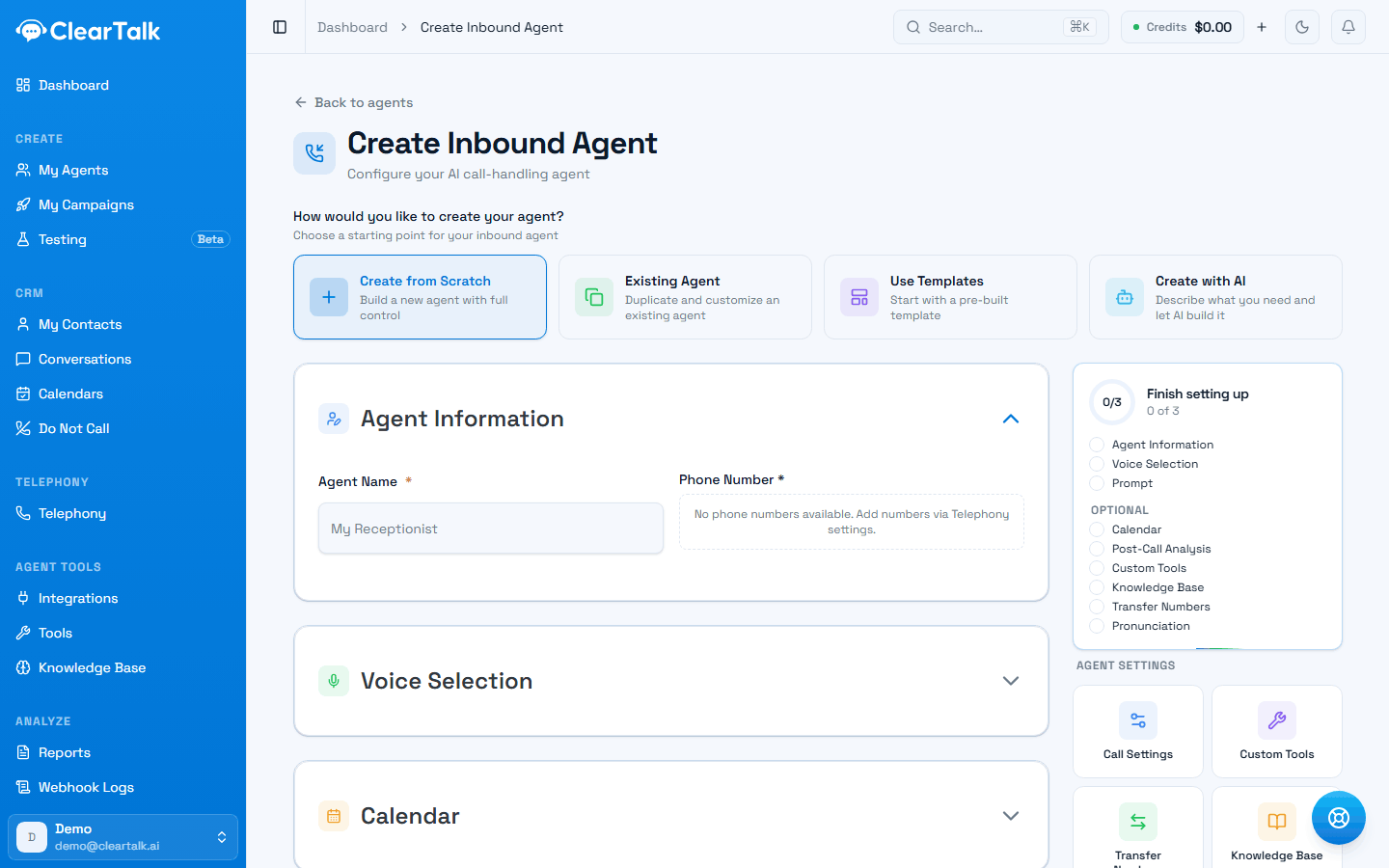
- 1Four ways in. “Create with AI” interviews you and drafts the instructions — the fastest route to something worth editing.
- 2Three required items, six optional. This is the honest definition of “ready”.
- 3Everything else lives behind these — call settings, tools, transfers, knowledge, pronunciation.
- Create from Scratch — the empty form. Full control, most work.
- Existing Agent — duplicate one you already have and change what differs. The right choice for a second location or a variant.
- Use Templates — a pre-built agent for a common job. The fastest way to something that works.
- Create with AI — describe what you want in plain English and it drafts the agent, including the instructions. It's a starting point, not a finished product — expect to edit it.
For a first agent, template or AI. Both produce something you can call in five minutes, and hearing a real call teaches you more about what you actually want than an hour with a blank form.
What's required, and what isn't
The checklist on the right of the form is the definitive answer, and it's short:
Required — three things:
- Agent Information — a name, and a phone number if it's inbound. The name is internal; call it after the job it does.
- Voice Selection — how it sounds. See voice and call settings.
- Prompt — what it's trying to achieve, either as instructions or a pathway.
Optional — six more, each covered in knowledge, tools and transfers: Calendar, Post-Call Analysis, Custom Tools, Knowledge Base, Transfer Numbers, Pronunciation.
An agent with only the required three works. Most of the difference between "works" and "good" is in the optional six.
Prompt or pathway
Every voice agent is driven one of two ways, chosen with the Input Type toggle:
- Prompt — plain-English instructions. Faster to write, more natural, more variation call to call.
- Pathway — the conversation drawn as a map. More control, testable before launch, required if the same things must happen every time.
Neither is the advanced option. Pathways covers how to decide, and most agents should start prompt-based.
Where agents live
Everything you build appears under My Agents, whatever kind it is — with tabs counting each channel, and the voice, number and creation date on every row.