
Knowledge, tools and transfers
The six optional pieces that turn a working agent into a useful one — facts to answer from, actions to take, a person to hand off to, and questions answered after every call.
An agent with a name, a voice and instructions works. These six are where most of the difference between working and useful lives. All of them sit behind the Agent Settings buttons to the right of the form, except Calendar and Post-Call Analysis which are sections on the form itself.
Knowledge Base
The long tail of questions people ask that you'd never write into instructions: parking, insurance, whether you take a particular brand, what happens if they're late.
Attach one and the agent answers from it instead of guessing. The fastest way to build one is to point it at your website and let it read — that's a minute's work and covers most of what people ask. See knowledge bases.
This is the fix for “I don't know”
If an agent's most common failure is failing to answer ordinary questions about your business, this is the setting, not the prompt. Instructions describe behaviour; a knowledge base supplies facts.
Custom Tools
A tool lets the agent do something mid-conversation — look up an order, check a membership, write to your system. It calls out, waits, and uses what comes back.
Two things decide whether a tool works: the description, which is what the agent reads to decide this is the moment, and whether your prompt mentions the tool at all. A tool that's merely attached often goes uncalled. See building a tool.
Never describe a capability the agent doesn't have
If your instructions describe looking something up and the tool isn't attached — or has been removed — the agent doesn't notice and decline. It invents the answer. Tested directly: with booking tools removed but the booking instructions left in place, the agent offered appointment times that didn't exist.
Turning a capability off means deleting its instructions, not guarding them with "if available".
Transfer Numbers
Where a caller goes when they ask for a person, or when the agent decides it's out of its depth. You can set several and let the agent choose by intent — sales here, support there.
Set these up early. An agent with no way to reach a human is the single most frustrating thing you can put on a phone line. See transferring to a human.
Calendar
Lets the agent book appointments during the call, against real availability. It checks open times, offers them, and books the one the caller picks.
Connect either your own calendar through a CRM, or ClearTalk's own scheduling. See calendars and booking during a conversation.
In a pathway, booking has to be spelled out
On a prompt agent, switching this on adds the booking instructions for you. In a pathway it doesn't — attaching the booking tools to a step gives the agent the ability and none of the method, which shows up as invented times. Write the steps into the step's prompt. See where your instructions go.
Post-Call Analysis
Questions ClearTalk answers about every call, automatically, from the transcript.
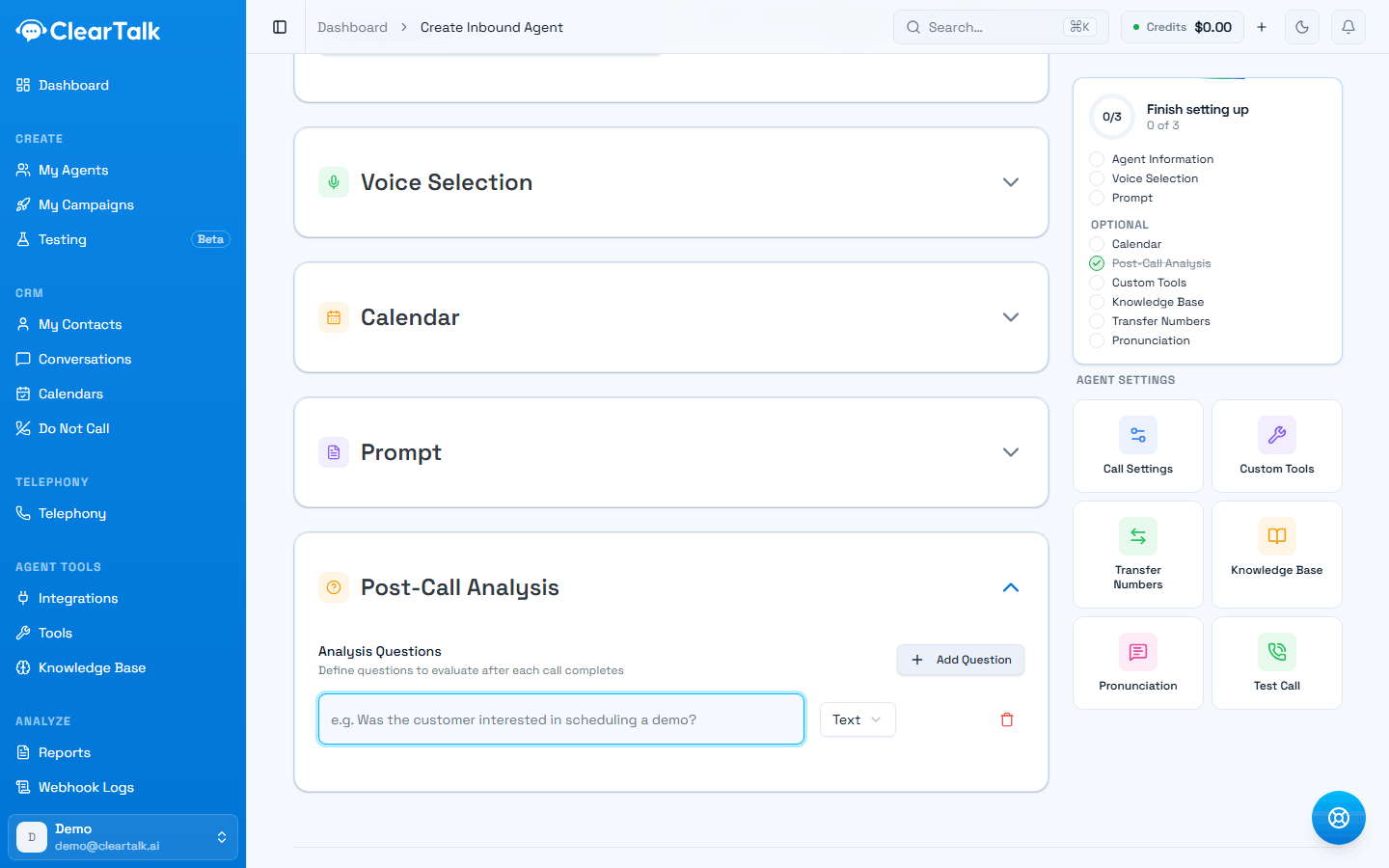
- 1Write it as a question about the call, exactly as you'd ask a colleague who listened to it.
- 2The answer's shape. Yes/No and Number are the ones worth filtering and reporting on.
Each question has a type — Text, Yes / No, Number, Email, Date, or Select — and the answers land on the call record, flow into reports, and go out with your webhooks.
This is how you get structured data out of conversations without reading them. Useful ones look like:
- "Did the caller book an appointment?" — Yes / No
- "How many people is the reservation for?" — Number
- "What was the caller's main objection?" — Text
- "What email address did they give?" — Email
Ask questions you'd actually filter or count on. "Was the caller happy?" is hard to act on; "Did they ask about pricing?" tells you what to change.
Post-call analysis is separate from call results, which are the single outcome tag for the whole call and the thing your reporting is built on — set those up too, and before you connect a CRM: define what counts as a win.
Pronunciation
Overrides for words the voice gets wrong — a business name, a street, a product, a surname. Give it the word and how it should sound.
Worth two minutes if your business name is unusual. Callers notice a mispronounced company name immediately, and it undermines everything else about the call.
Related: writing numbers for speech
Pronunciation fixes words. Times, prices and phone numbers need writing out as words in the instructions themselves — the voice drops digits it can't get through cleanly. See writing numbers the way you'd say them.
A sensible order
For a first agent, do them in this order and stop when it's good enough:
- Knowledge Base — biggest improvement for the least work.
- Transfer Numbers — so nobody gets stuck.
- Post-Call Analysis — two or three questions, so you can measure what's happening.
- Calendar — if booking is the point of the agent.
- Pronunciation — if anything is being said wrong.
- Custom Tools — last, because it needs something to connect to.