
The Do Not Call list
How numbers get on it, how to import your own, and the compliance responsibility ClearTalk does not carry for you.
Numbers on your Do Not Call list are never dialed. Nothing overrides it — not a campaign, not a retry, not a manual dial from an agent.
The Do Not Call page holds two lists: this one, and Blocked from Texting below it.
You manage your own list
ClearTalk does not sync with the National Do Not Call Registry and does not screen your numbers against it. Complying with the TCPA, state Do Not Call laws, and the National Registry is your responsibility. This list is a tool for honouring that, not a substitute for it.
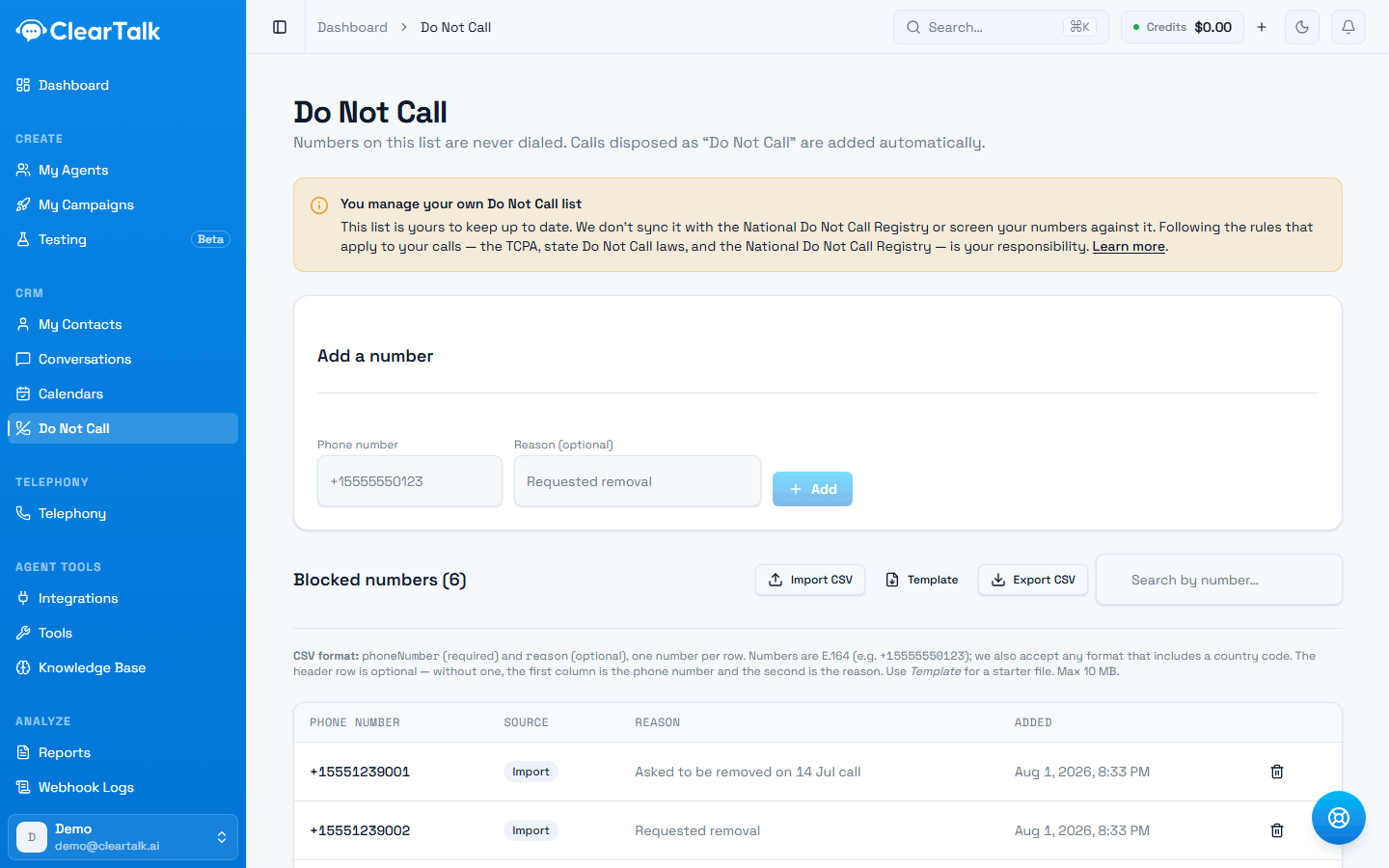
- 1Read this once. ClearTalk keeps your list — it does not screen against the National Registry for you.
- 2Adding a number by hand. The reason field is free text and worth filling in.
- 3Import your existing suppression list here on day one, before your first campaign.
- 4Source tells you how each number arrived — a call result, an import, or by hand.
How numbers get on it
Three sources, shown in the Source column:
| Source | How it happened |
|---|---|
| Call disposition | An agent marked the call's result as Do Not Call — the caller asked not to be contacted again |
| Manual | Someone on your team added the number here |
| Import | It came in from a CSV |
The first one is the important one. When a person tells your agent to stop calling, that request is honoured automatically — you don't have to notice it and act on it.
Check that your agents actually record the request. The automatic path only works if the agent uses the Do Not Call result when someone asks to be removed. If your pathway or instructions never tell it to, a real request can end up recorded as an ordinary unsuccessful call — and you'll call them again.
Adding numbers by hand
Enter the number and, optionally, a reason. The reason field is free text and worth using: "requested removal on 12 Mar call" is a record you'll be glad of if anyone ever asks.
Importing a list
Import CSV takes a file with phoneNumber (required) and reason (optional), one number per row. Numbers are stored in international format like +15555550123, and any format that includes a country code is accepted.
The header row is optional — without one, the first column is treated as the phone number and the second as the reason. There's a template, and the limit is 10 MB.
Import your existing suppression list on day one, before your first campaign. It's the single most consequential five minutes of setup in ClearTalk.
Exporting
Export CSV gives you the whole list. Worth doing periodically — for your own records, for a compliance review, or to sync into another system that also needs to know.
Do Not Call versus Blocked from Texting
Two lists, and they are not symmetrical — which is the part that surprises people.
Do Not Call
Stops calls
- Numbers are never dialed.
- Added by call result, by hand, or by import.
- Does not stop texts.
Blocked from Texting
Stops texts AND calls
- Numbers are never texted.
- Added automatically when someone texts STOP.
- Also blocks calls — see below.
A texting opt-out silently stops calls too
Someone who replies STOP to a text is blocked from both channels from then on. Trigger a call to them and it's refused; include them in a campaign and they're quietly dropped from the batch with nothing shown on screen.
This is the safe default — someone who said stop rarely means "only by text" — but it does mean your call campaign can be smaller than your contact list for a reason that has nothing to do with calling. If a batch dials fewer people than you expected, this is the first thing to check.
Do Not Call doesn't work the other way: putting someone on it stops calls and leaves texting alone. If you want both, use both.
When in doubt, add them to both
If a person asks to be left alone in general terms, they mean both channels. The cost of over-suppressing one contact is nothing. The cost of under-suppressing is a complaint.
Removing a number
You can remove a number from the list. Do it only when the person has asked, in writing, to be contacted again — and keep that request.
What this doesn't cover
Worth being blunt about the boundaries:
- The National Do Not Call Registry is not checked. If your calling requires registry scrubbing, do it before the numbers reach ClearTalk.
- State-level lists are not checked.
- Consent is not tracked. Whether you had permission to call someone is not something this list knows.
- Reassigned numbers are not detected. A number that changed hands looks the same to us.
These are ordinary obligations for anyone doing outbound calling, and the usual answer is a scrubbing service before import. See List hygiene.