
Knowledge bases
Giving your agent your pricing, policies, and FAQs to answer from — the three ways to add content, and what actually works.
A knowledge base is a body of information your agent can look things up in during a conversation. It's the difference between an agent that says "let me have someone get back to you" and one that answers the question.
Creating one
Knowledge Base in the sidebar. Give it a name and a description, then pick how you're adding the content.
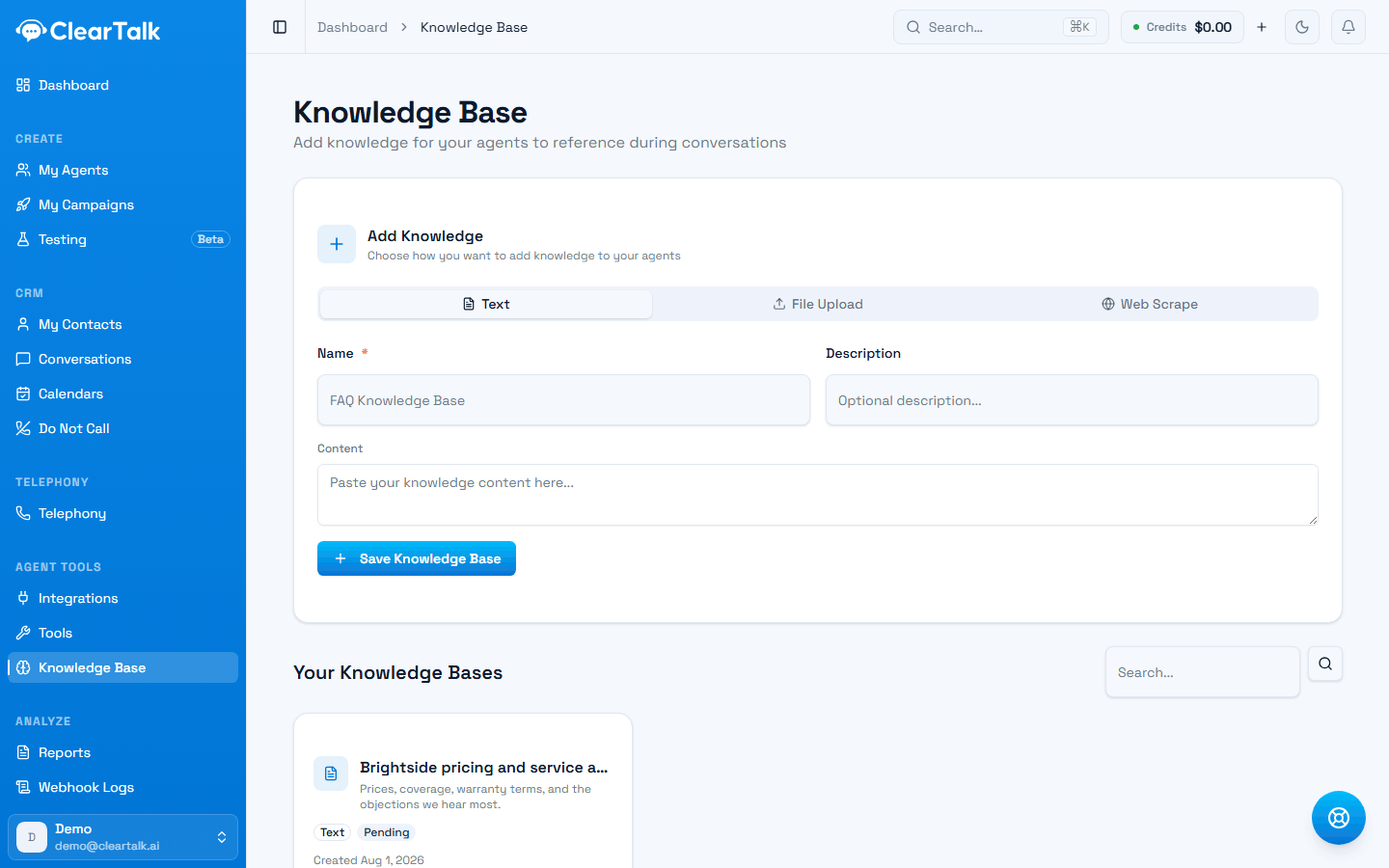
- 1Three ways to add content. Text is selected here.
- 2The description is for you, not the agent — name it for what it answers.
- 3Existing knowledge bases, each showing its kind and processing status.
Text
Paste content straight in. Best for things that don't exist as a document anywhere — pricing you keep in your head, the answers your team gives on the phone every day, the three objections you always get.
This is the highest-quality source, because you're writing exactly what you want the agent to say rather than hoping it extracts it from a brochure.
File upload
Upload a document: TXT, PDF, MD, DOCX, MP3, MP4, CSV, JSON, XML, or HTML.
Good for material that already exists in a usable form — a price list, a policy document, a product manual. Less good for marketing PDFs, which are mostly design and slogans with very little answerable content.
Web scrape
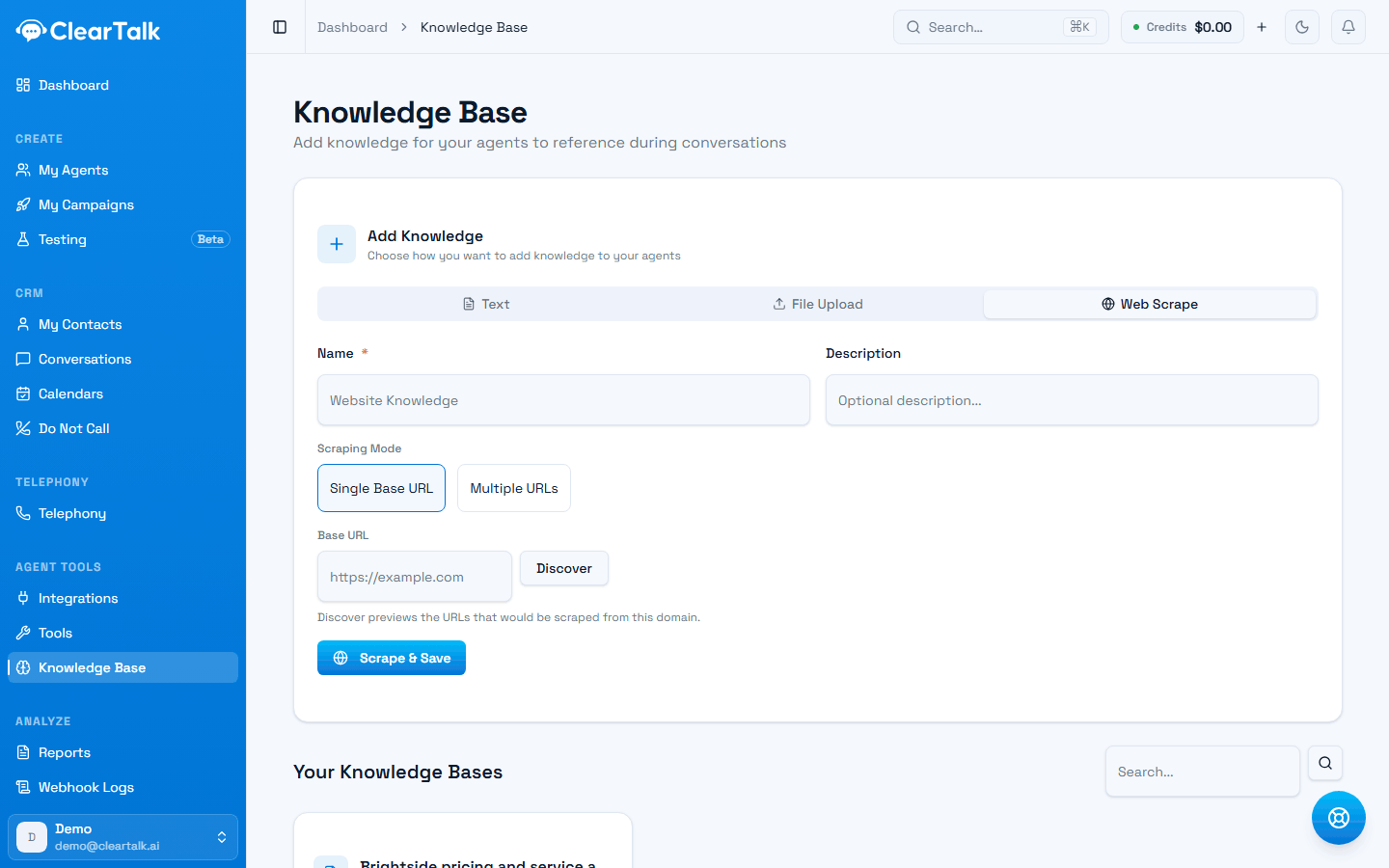
Point it at your website. Two modes:
- Single Base URL — give it your domain and click Discover to preview which pages would be scraped, then scrape them.
- Multiple URLs — paste a specific list, up to 100.
Discover first. It shows you what's about to be pulled in, and it's usually the moment you notice your blog archive and every paginated listing page are included.
Scraping your own site is the fastest useful thing you can do here — one minute of work for an agent that knows your services, hours, and locations. Do it even if you plan to write something better later.
Attaching it to an agent
On a voice agent's form (Inbound or Outbound), the Knowledge Base wizard on the right rail lets you attach one or more. From then on the agent can consult them while it's talking.
Texting agents don't have that rail — they're pathway-driven, and there's no agent-level attach point. Add a Knowledge Base step to the pathway instead; see Building a texting agent and the pathway node reference.
Attach the ones relevant to that agent's job. An agent booking roof inspections doesn't need your employee handbook, and every irrelevant document is one more thing it might answer from when it shouldn't.
What makes a good knowledge base
Works well
- Direct answers to questions people actually ask.
- Current pricing, hours, service areas, and policies.
- Your top ten objections, with the answer you'd want given.
- Plain statements of fact, in short sections.
Works badly
- A 90-page PDF where three paragraphs are relevant.
- Marketing copy with no factual content.
- Anything with prices you haven't updated in a year.
- Internal documents with information customers shouldn't hear.
Assume everything in here can be said out loud
An agent may quote anything in an attached knowledge base to a customer. Don't upload internal pricing floors, margin information, competitor notes, or anything about a customer you wouldn't say to their face.
A better use than you might expect
Most people load a knowledge base with product information. The higher-value content is usually the objection handling — the things your best salesperson says when someone pushes back.
"It's too expensive." → We're not the cheapest. What we do include is X and Y, which the cheaper quotes don't. Most people find it works out even after the first year.
That's a knowledge base entry. It's also the difference between an agent that folds at the first objection and one that has a conversation.
Keeping it current
The failure mode isn't a bad knowledge base — it's an out-of-date one. An agent confidently quoting last year's prices is worse than one that says it'll check.
Two habits:
- When your prices change, update the knowledge base the same day. Put it on the same checklist as your website.
- Re-scrape after a site redesign. The old scrape doesn't know your pages moved.
Small and current beats large and stale
Ten accurate paragraphs beat a hundred pages nobody has read since the upload. If you're not sure whether something is still true, it doesn't belong in here.
When a knowledge base isn't the answer
A knowledge base is for static information. If the answer changes per customer — their order status, their appointment time, their balance — you need a tool instead, which looks the answer up live in your system.
The distinction in one line: knowledge base for what's true about your business, tools for what's true about this customer.